Everything New in SEC Pro+: October 2026
Six new SEC Pro+ features released in October: comment letter threads, redline compare, one-click filing packages, file number downloads, Form D summaries and Reg A profiles.

October was a big month for SEC Pro+. Here’s what changed and how to try each update. You’ll also find them all under What’s New when you log in.
1. SEC comment letters, with the company’s answers
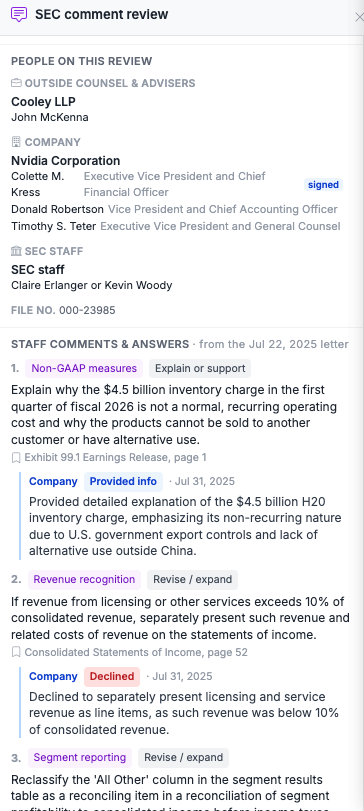
Comment letters show what the SEC questioned and how the company responded, and now you can read both sides together. Open any SEC staff letter or company response, and a comment review opens right beside it.
Each staff comment is tagged by topic, like revenue recognition, non-GAAP measures and segments, with the company’s reply underneath: revised, will revise, declined or provided info. Follow the full thread from the first letter to the closing letter, and see everyone involved, from the company’s signers and outside counsel to the SEC staff on the review.
Try it: Search Form UPLOAD or CORRESP for any company.
2. Compare any two filings as a redline
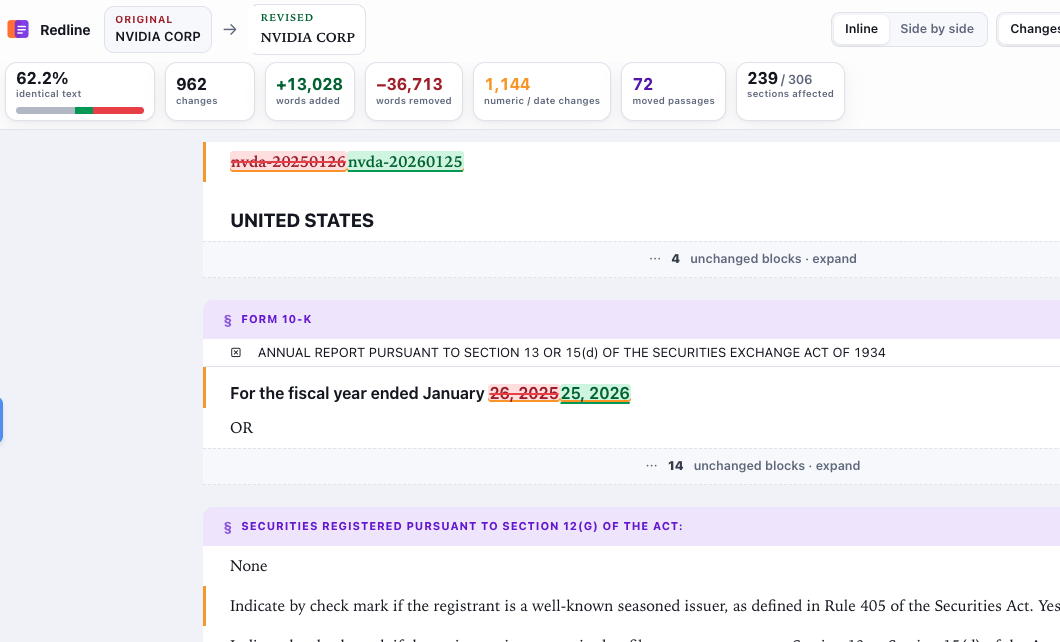
Spotting what changed between two filings used to mean reading them side by side, line by line. Now you can tick any two results and choose Compare to see every change, inline or side by side.
A change summary shows words added and removed, numbers and dates that changed, and which sections were affected. AI Compare then writes a plain-English summary of the changes, section by section. When you’re done, save the whole comparison as a PDF.
3. Download a filing with all its exhibits
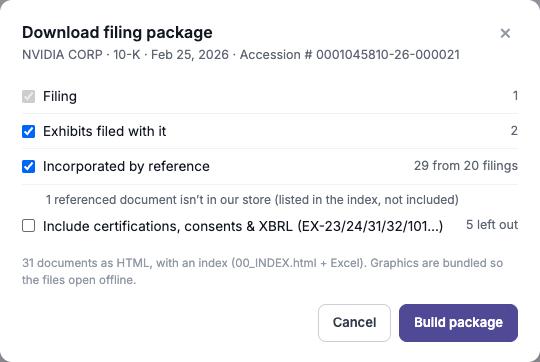
Click Package above any filing to get one ZIP file with the filing, its exhibits and every document it incorporates by reference, even ones filed years earlier. No more hunting down old exhibits one at a time.
Each package includes an index in both HTML and Excel, with graphics bundled in so everything opens offline. Certifications, consents and XBRL files are optional, so you only download what you need.
4. Every filing under a file number, in one ZIP
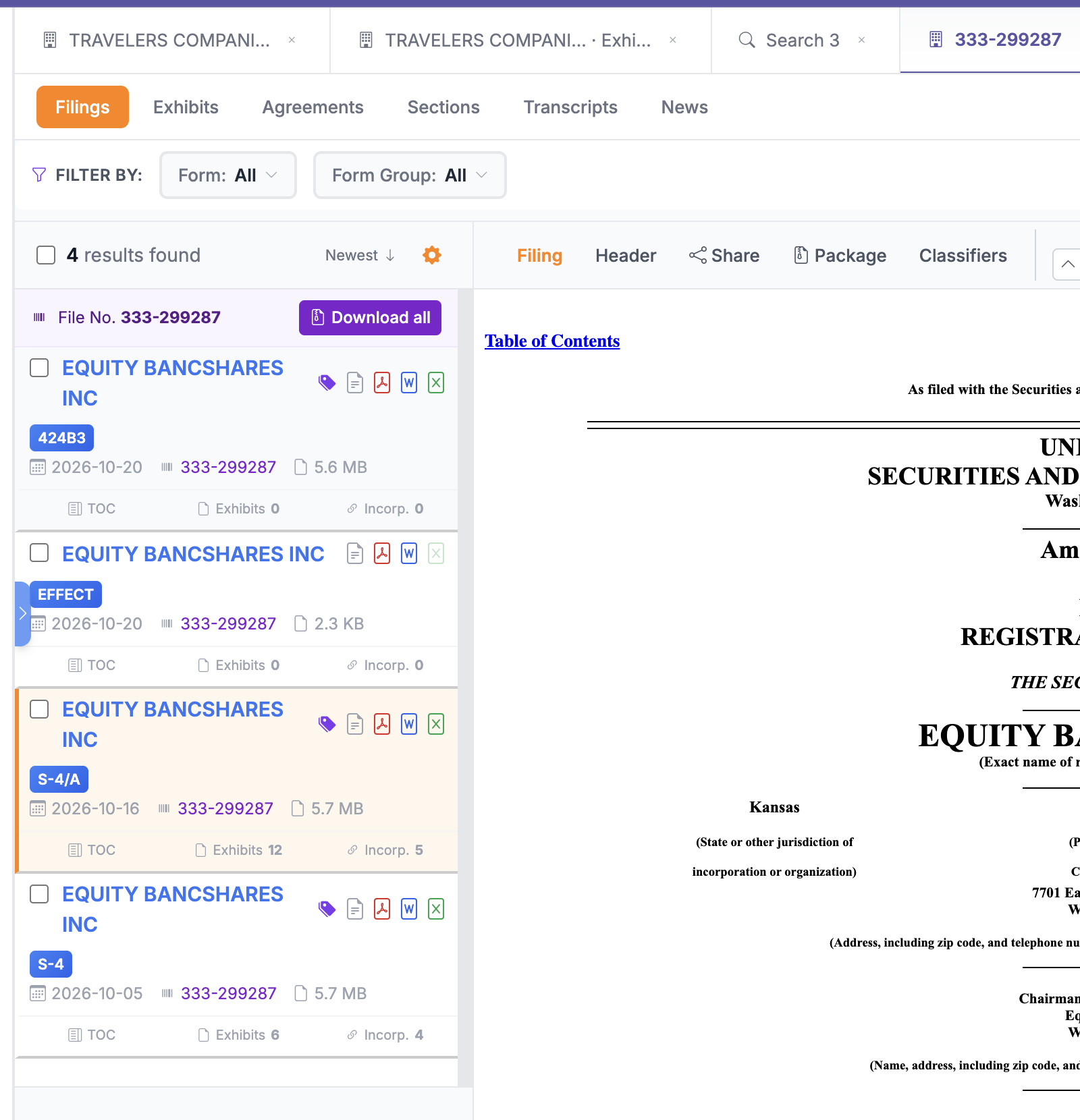
Every SEC file number in your search results is now a link. Click one, and the whole deal opens in a new tab: the registration statement, amendments, the SEC’s notice of effectiveness and the final prospectus.
Hit Download all to get one ZIP with a folder for each filing and its exhibits, plus an HTML and Excel index. You choose exactly what goes into the ZIP (see how).
Try it: Run a search for S-4 filings and click the file number under any result.
5. Form D filings as a one-page summary
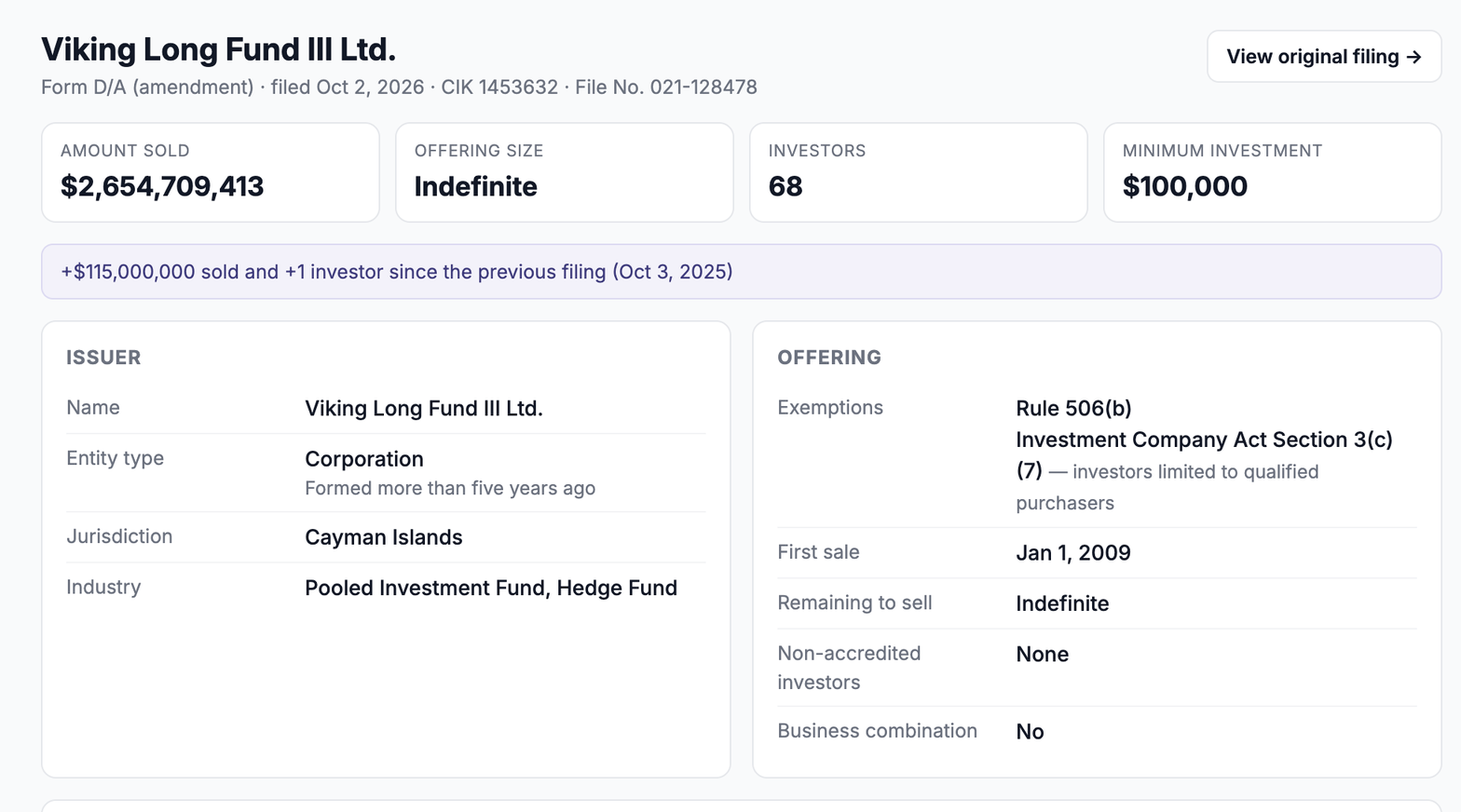
Any Form D or D/A now opens as a clean one-page summary instead of the SEC’s long questionnaire. The numbers come first: amount sold, offering size, number of investors, minimum investment and what changed since the last filing.
Below that, you’ll find:
- A chart and table of every filing under the same file number
- Related persons, and how many other private offerings each one appears on
- Placement agents with CRD numbers and the states they solicited in
- Contact details, terms, fees and who signed
- Exemptions explained in plain words
Need the original? View original filing shows the SEC form in one click.
6. Reg A issuer profiles, legal proceedings and saved passages
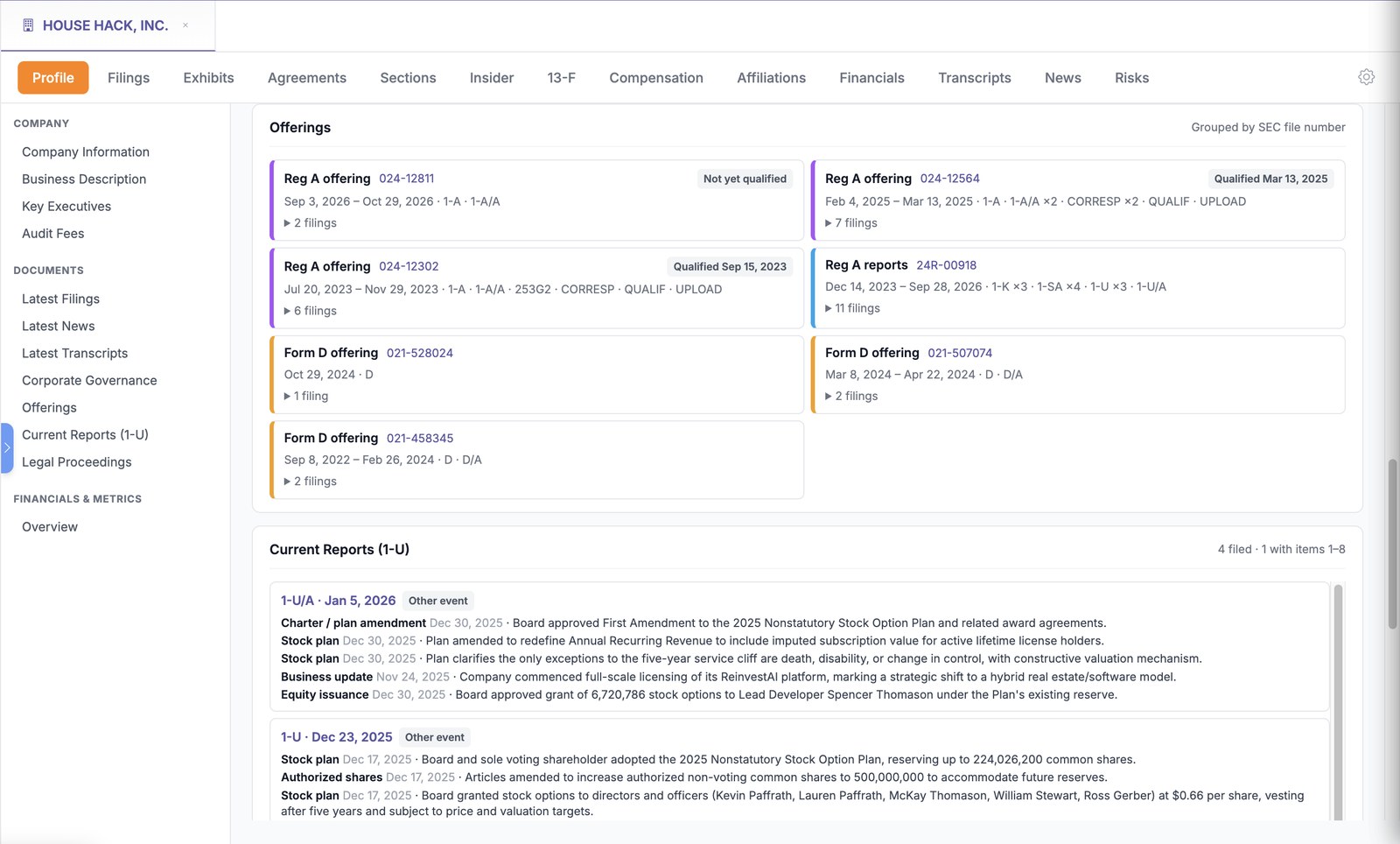
Company profiles now cover Reg A and Form D issuers end to end. Filings are grouped by offering with qualification status, every Form 1-U is broken into the events it reports, and the people from their Form Ds appear under Affiliations.
The Profile tab also has a new Legal Proceedings section. It lists every case a company discloses in its own filings, with court, parties, amounts and status, open cases first.
We also made research faster in a few smaller ways:
- Search Legal Proceedings across forms in one pick
- Multi-word searches now highlight as exact phrases in the filing viewer
- Save just a passage to a matter: select the text (or a note’s heading) and choose Add to matter
Try it: Look up House Hack, Inc.
Want a walkthrough?
We’re happy to show your team around the new features, or set you up with SEC Pro+ if you’re not using it yet. Get in touch at holly@kscope.io.